Conversion History: Status Colors, Job Drill-Down, Retention
Use FastStatement history to monitor long jobs, read red and yellow timing tags, open a batch for per-file status, and understand plan retention windows.

You queued a batch before lunch. Now Slack is pinging and you need to answer “is it done?” without starting the upload again.
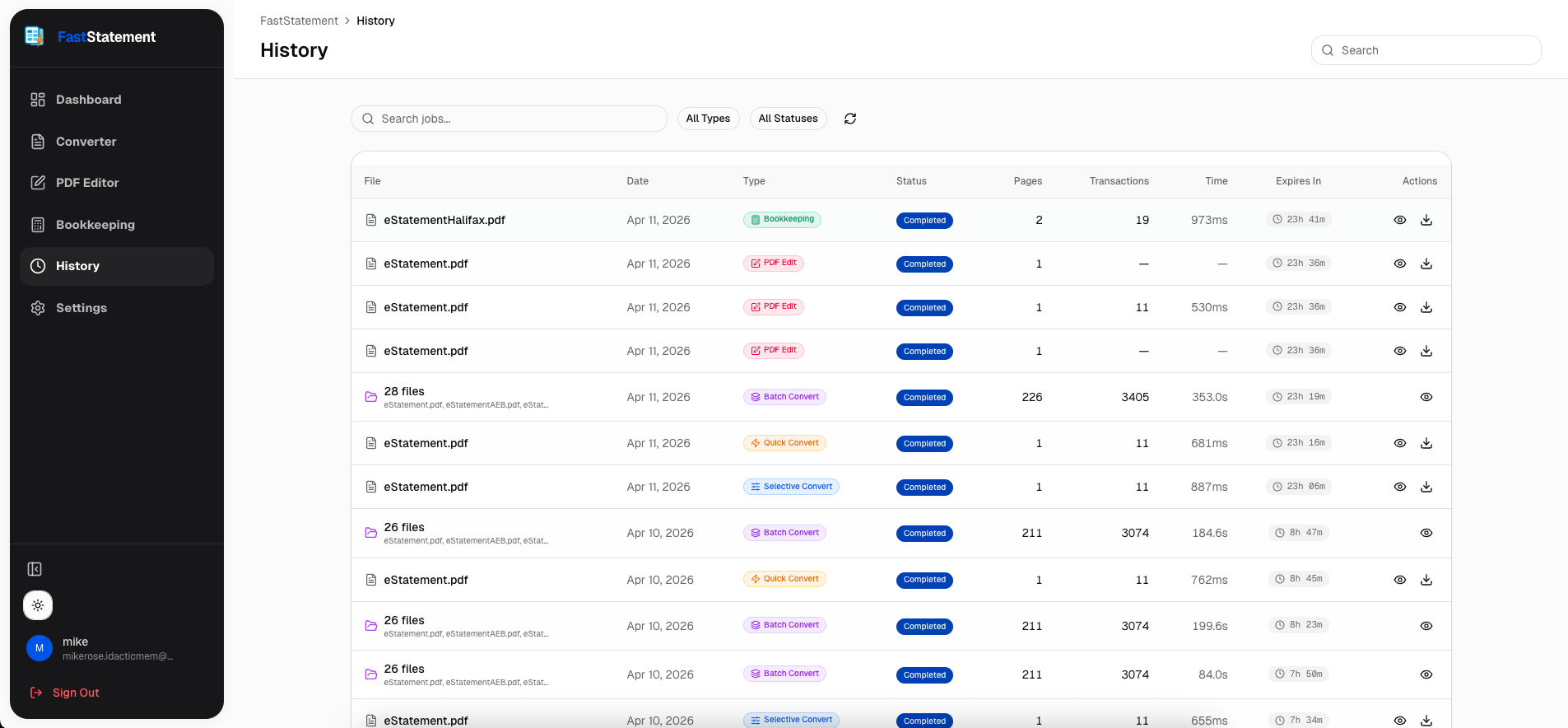
History is the operational screen for that question. This short guide pulls only the history-related screenshots. See the full visual tour or batch processing for the upload side.
Timing tags that actually mean something
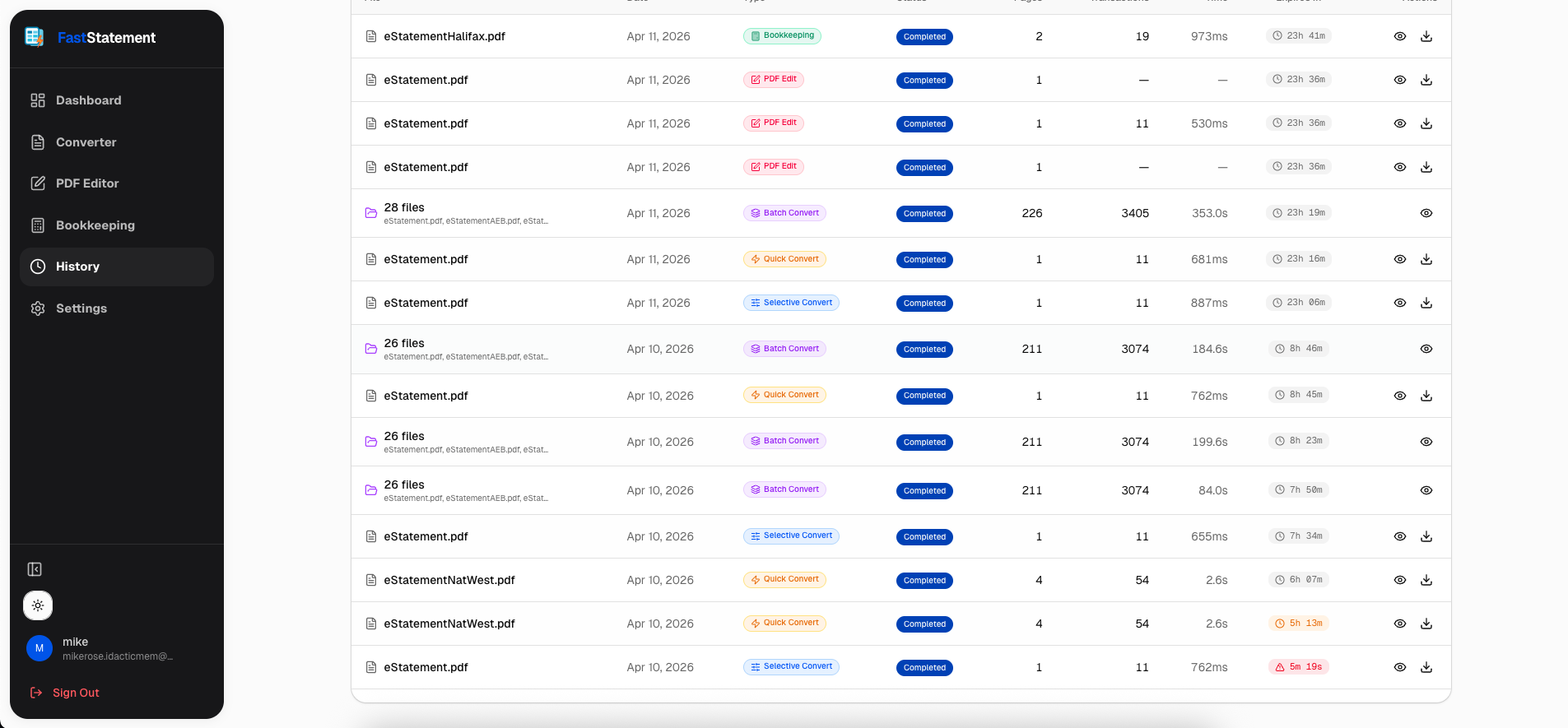
Rows use color when deadlines are tight. Red, yellow, and neutral states map to how close you are to the end of the window you care about, so you can scan a long list without opening every job.
When a batch feels slow
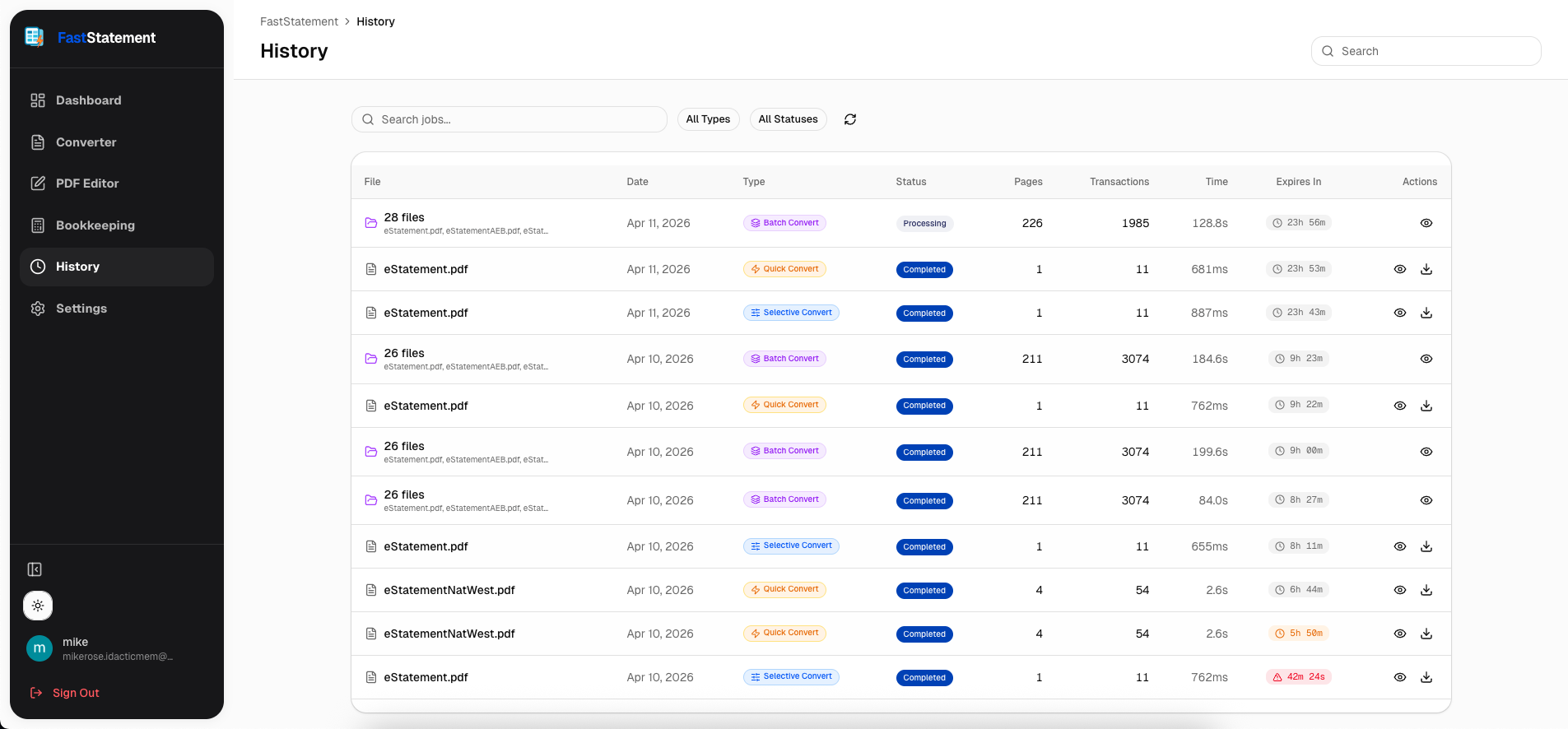
Open history and read the progress indicator for the active job. You are looking for movement, not perfection.
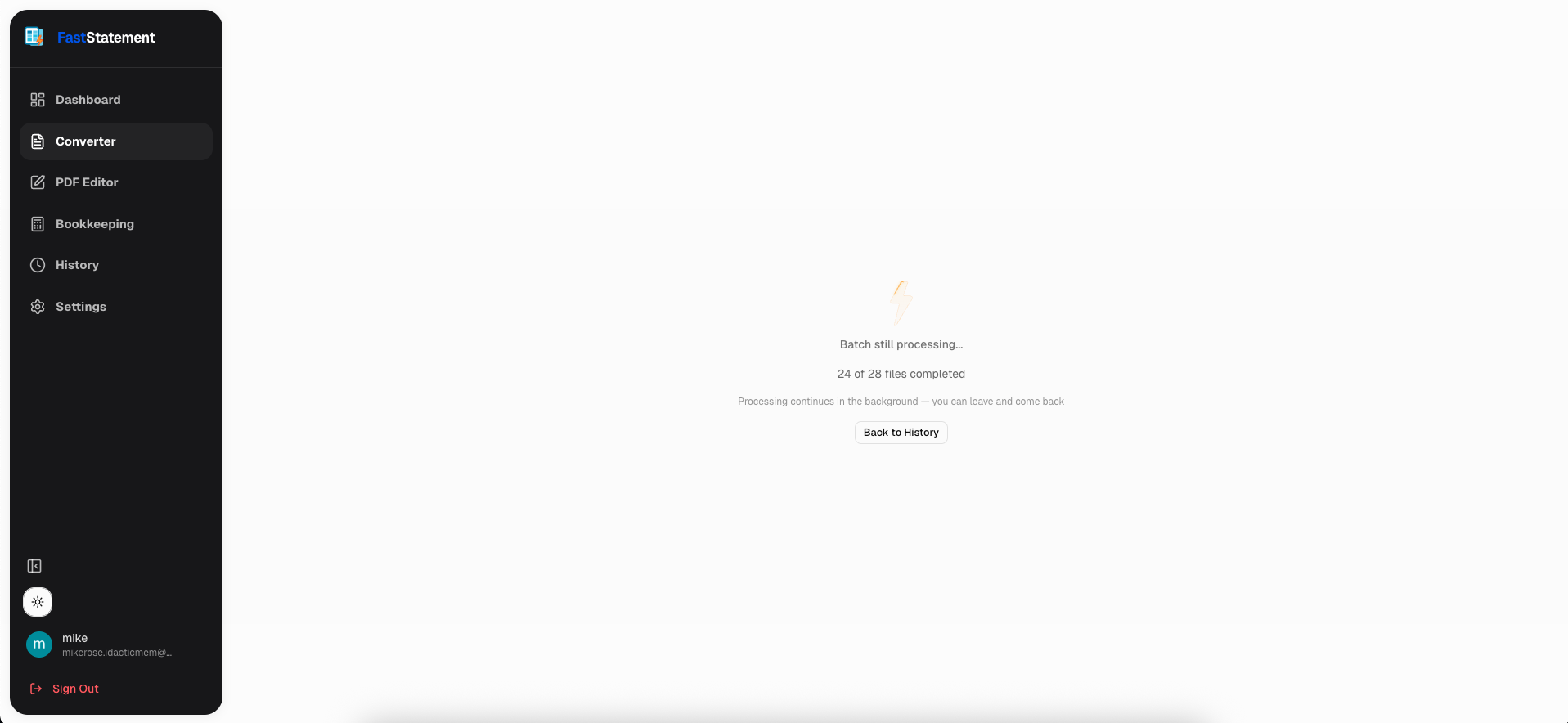
Click through to the job to see how many files finished and which ones are still running or failed.
Retention and your plan
Exports and job artifacts do not live forever on every tier. The UI spells out the retention window (for example, twenty-four hours on the relevant plan) so you can download before the cutoff.